Top 10 Best Docking Stations for Home Office and Professional Workstations in 2026
A docking station is one of the most useful accessories for anyone who wants to get more out of their laptop. Whether you’re working from home, managing office tasks, studying, or handling demanding professional projects, the right docking station can make your workspace more organized and convenient. It allows you to connect multiple devices, external monitors, keyboards, mice, storage drives, and network cables through a single connection, reducing cable clutter and saving time.
With so many options available, choosing the best docking station can be challenging. Some models focus on compact USB-C connectivity, while others offer advanced Thunderbolt technology, multiple 4K display support, and powerful laptop charging. The right choice depends on your laptop’s compatibility, the number of monitors you need, available ports, and your daily workload.
In this guide, we’ve selected the Top 10 Best Docking Stations worth considering. Our list includes popular options from Anker, Dell, Plugable, Kensington, TobenONE, and LIONWEI. We’ll explore their features, advantages, disadvantages, and practical uses to help you compare different models. Whether you need a simple USB-C hub or a powerful multi-monitor workstation dock, this guide will help you find the right option for your setup.
Best Docking Station Picks at a Glance
| Rank | Product | Best For |
| 10 | VVB USB-C Docking Station | Everyday dual-monitor connectivity |
| 9 | TobenONE DisplayLink Dock | Three-monitor productivity |
| 8 | Plugable Triple Display Dock | Multi-screen office setups |
| 7 | LIONWEI 13-in-1 Dock | Versatile connectivity |
| 6 | Anker Prime TB5 Dock | Premium Thunderbolt 5 performance |
| 5 | Plugable 13-in-1 Dock | All-in-one workstation setup |
| 4 | Dell Pro SD25TB4 | Business and professional use |
| 3 | Anker 8-in-1 Dock | Everyday laptop expansion |
| 2 | Kensington SD5900T | Advanced multi-display connectivity |
| 1 | Dell WD22TB4 Dock | Dell Thunderbolt workstation setups |
Compatibility note: Monitor support, charging speeds, and available features depend on your laptop’s USB-C or Thunderbolt capabilities, operating system, and display configuration. Check the manufacturer’s compatibility information before purchasing.
10. VVB USB-C Laptop Docking Station Review – Dual HDMI Monitor Multiport Adapter
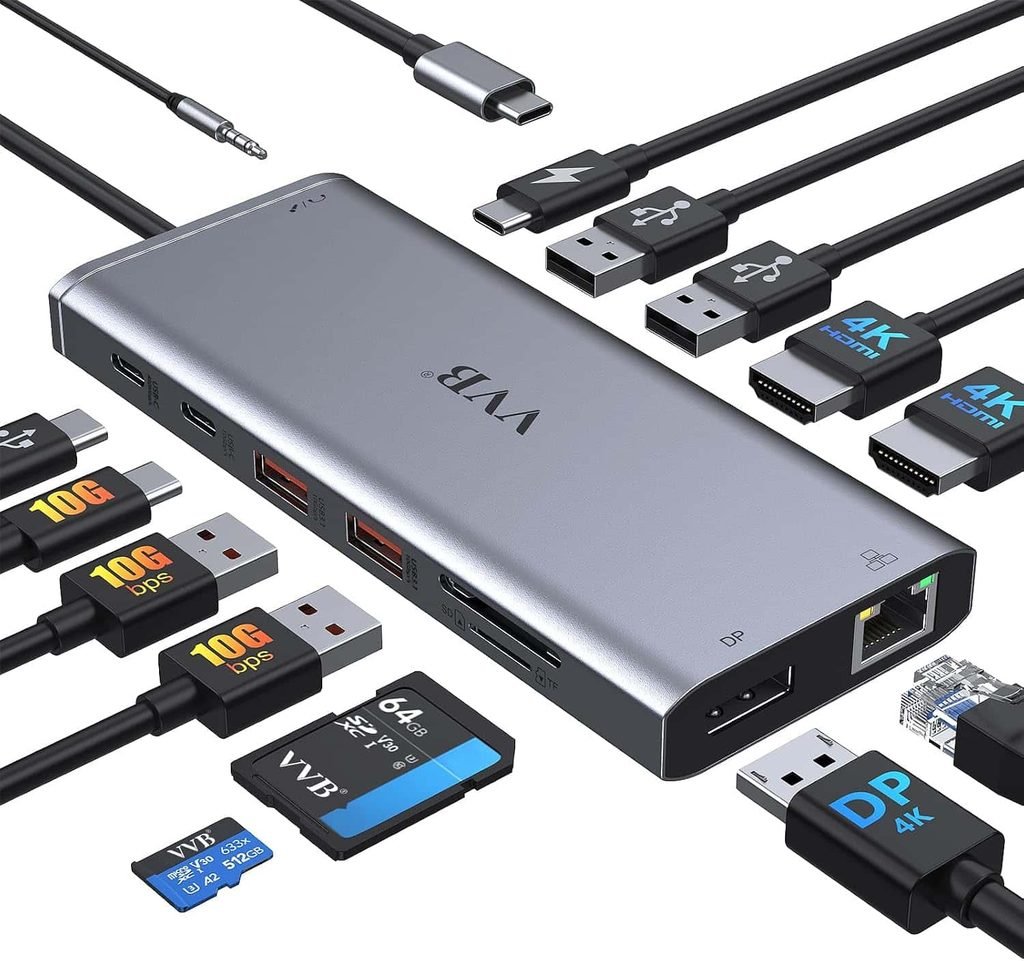
The VVB USB C Laptop Docking Station is a practical option for anyone who wants to expand a laptop’s connectivity without filling a desk with separate adapters. Its multiport design brings several everyday connections together in one compact hub, making it useful for home offices, study areas, and flexible workspaces. Instead of repeatedly plugging accessories into the laptop, users can connect compatible peripherals through the dock and keep their setup more organized.
Dual HDMI display connectivity is a key attraction for people who like working on more than one screen. It can make comparing documents, managing spreadsheets, attending online meetings, and keeping reference material visible feel more comfortable. The USB-C hub format also gives users access to additional connections for compatible accessories. Before buying, check the laptop’s USB-C video output support and the dock’s display-mode requirements, since not every USB-C port supports external monitors in the same way.
For everyday productivity, this VVB model offers a straightforward way to add ports and reduce cable swapping. It is worth considering for users who need a simple dual-monitor hub rather than a large desktop docking station. Confirm operating-system support, resolution limits, and power-delivery details for your particular laptop before relying on it as a complete workstation solution.
Pros:
- Dual HDMI connectivity for compatible displays.
- Multiple ports for everyday peripherals.
- Helps reduce cable clutter.
- Convenient for home and office setups.
Cons:
- Display support depends on laptop compatibility.
- Not as advanced as Thunderbolt docking stations.
- Check charging capabilities before purchasing.
9. TobenONE DisplayLink Triple Monitor Docking Station Review – 120W Laptop Dock
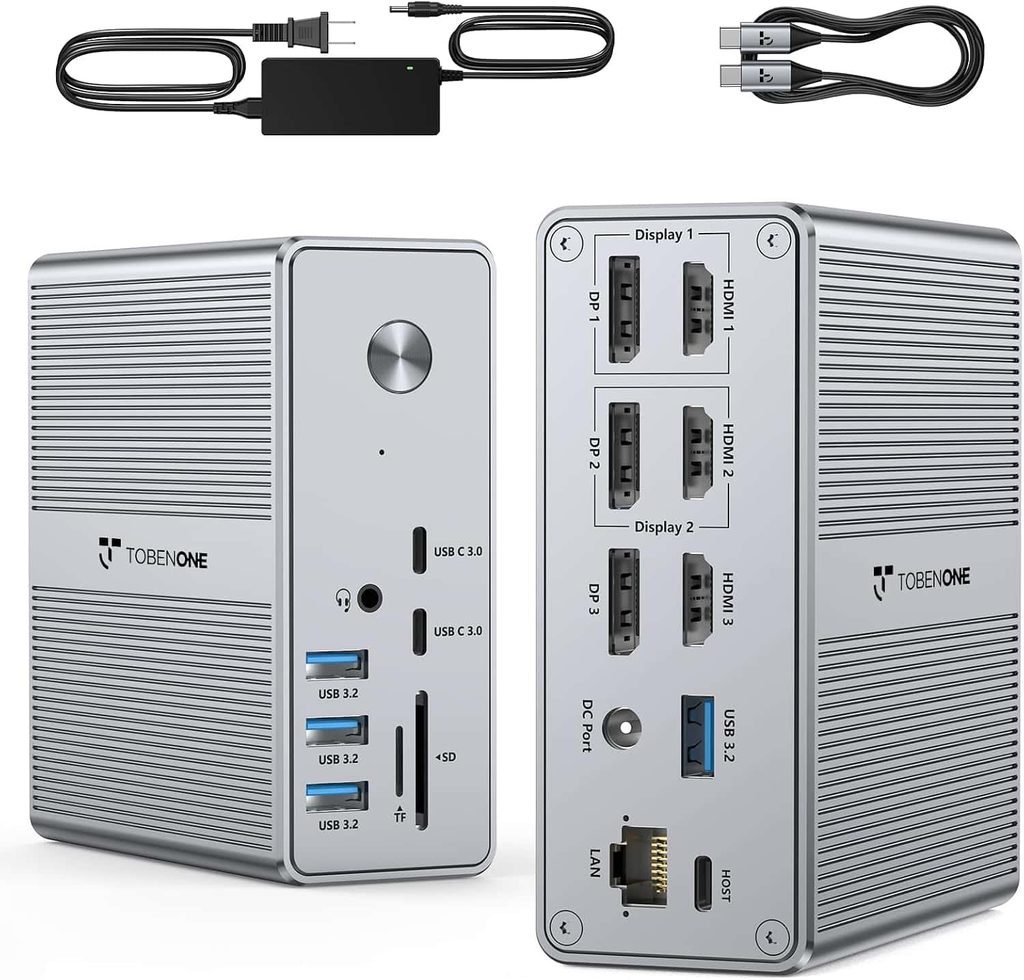
The TobenONE DisplayLink Docking Station is designed for people who want to build a more capable multi-monitor workspace around a laptop. Its support for up to three external displays makes it appealing to professionals who regularly move between documents, spreadsheets, research pages, communication apps, and creative projects. Keeping several windows visible can reduce the constant switching that interrupts focused work, especially when a laptop screen alone feels cramped.
A 120W power adapter is included, giving the dock a dedicated power source for its connected functions. DisplayLink technology is an important part of this model’s appeal because it can help provide multiple display connections on compatible systems. However, DisplayLink usually requires software installation, and the experience can vary depending on the operating system, graphics workload, and laptop configuration. Buyers should check current driver support and confirm how many screens their specific computer can run.
For a desk-based setup, this TobenONE dock can bring monitors and everyday peripherals together through one central connection. It is a useful option for multitaskers who value screen space and a cleaner desk. The main consideration is compatibility: users should verify DisplayLink support, host connection requirements, display resolutions, and charging limits before choosing it for daily work.
Pros:
- Supports up to three external monitors on compatible systems.
- Includes a 120W power adapter.
- DisplayLink technology expands display options.
- Useful for multitasking and professional workspaces.
Cons:
- DisplayLink software may be required.
- Compatibility varies between operating systems.
- Setup may take more effort than a basic USB-C hub.
8. Plugable USB-C Triple Display Docking Station Review – 3 HDMI and 100W Charging
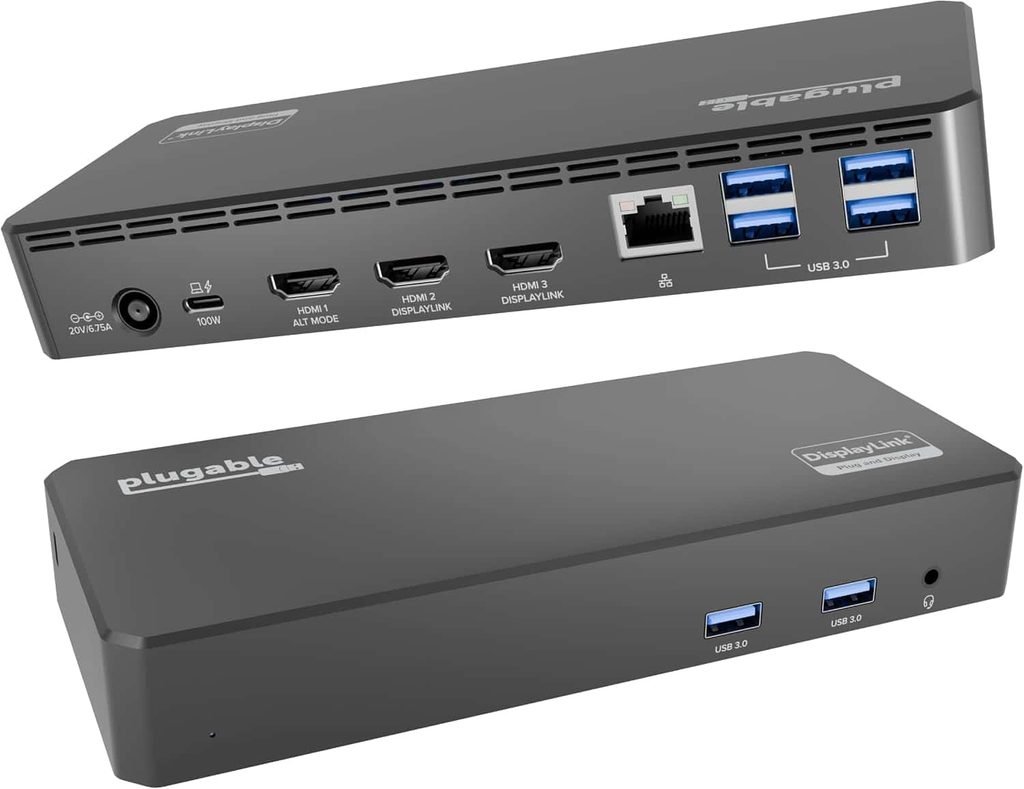
The Plugable USB C Triple Display Docking Station is aimed at laptop users who want more screen space and a convenient place to connect their everyday accessories. With three HDMI display outputs and up to 100W power delivery, it is positioned as a workstation hub for people who spend long hours managing multiple applications. A larger display arrangement can be helpful for spreadsheets, project dashboards, online meetings, research, and other tasks that benefit from seeing several windows at once.
Its USB-C connection helps reduce the number of cables running directly into a laptop, while the dock provides a central point for compatible monitors and peripherals. The 100W power delivery specification is particularly useful for supported laptops that can charge over USB-C. Actual charging depends on the computer’s requirements and the power available to the dock.
One important detail is that triple-display support is not universal across every laptop. Operating system, graphics hardware, USB-C capabilities, and the dock’s display technology all matter. Check Plugable’s compatibility guidance before purchasing, especially if you use a Mac or an older Windows laptop. For the right system, this dock can make a busy desk feel more organized and give a multitasking setup extra flexibility without requiring several separate adapters.
Pros:
- Three HDMI display outputs.
- Up to 100W power delivery.
- Convenient for multi-screen workstations.
- Centralizes compatible laptop connections.
Cons:
- Triple-monitor support depends on the host device.
- Compatibility should be checked for macOS and Windows.
- May be unnecessary for users with simple connectivity needs.
7. LIONWEI 13-in-1 USB-C Docking Station Review – Dual 4K HDMI Laptop Hub
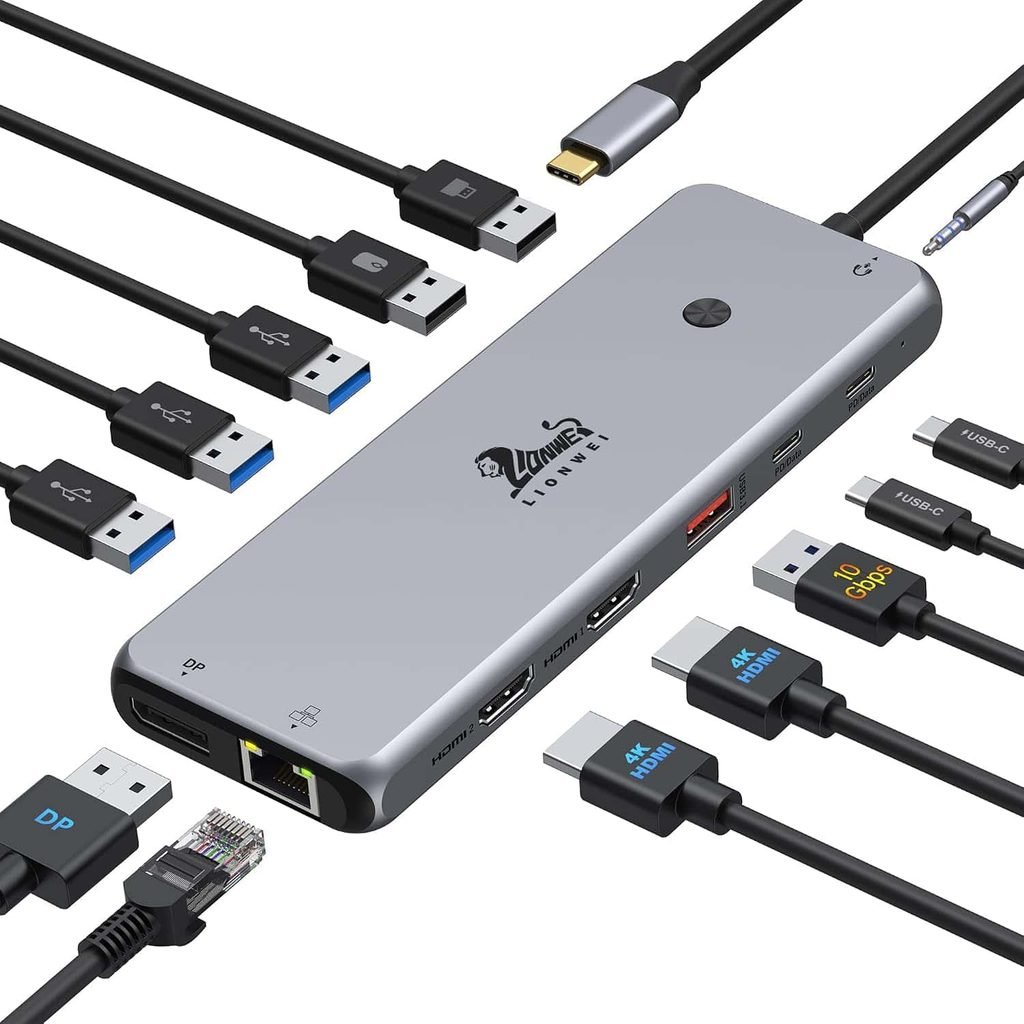
The LIONWEI 13-in-1 Docking Station is a versatile USB-C hub for people who want more connections from a laptop without adding several individual adapters. Its multiport layout is designed to bring common workstation accessories together, while dual-monitor support makes it useful for users who prefer spreading their work across multiple screens. That can be handy for keeping a video call open while editing a document, checking reference material, or working through a large spreadsheet.
The advertised 4K HDMI capability is attractive for users who want a sharper external display, although the actual resolution and refresh rate depend on the laptop, connected monitors, and display configuration. A 13-in-1 design can also help reduce desk clutter by consolidating connections for compatible USB devices and other peripherals in one place.
This model is worth considering for home offices, students, and professionals who need a flexible everyday hub. As with other USB-C docking stations, buyers should confirm that their laptop supports video output through USB-C and check whether the desired dual-screen arrangement works with their operating system. Also review the power-delivery specifications if charging through the dock is important. With the right host computer, the LIONWEI offers a convenient way to expand a laptop into a more connected workspace.
Pros:
- 13-in-1 multiport design.
- Dual-monitor connectivity.
- Advertised 4K HDMI support.
- Useful for everyday office productivity.
Cons:
- Compatibility varies by laptop.
- Actual display performance depends on hardware.
- Check power-delivery specifications carefully.
6. Anker Prime Thunderbolt 5 Docking Station Review – 14-in-1 Premium Laptop Dock
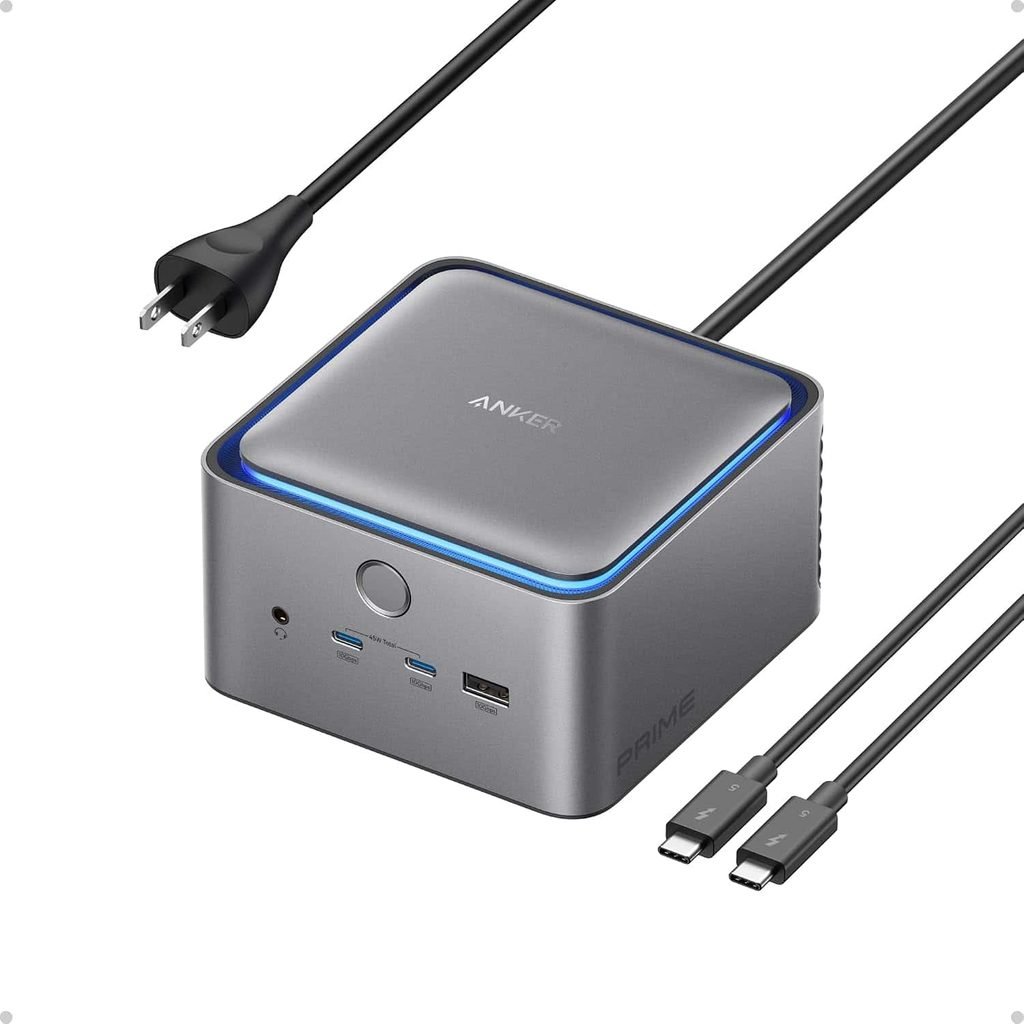
The Anker Prime TB5 Docking Station is a premium choice for users building a high-performance desk setup around a modern laptop. Its Thunderbolt 5 connection is designed for demanding workflows that benefit from high bandwidth, fast peripheral connections, and advanced display support. With a 14-in-1 layout, the dock brings a range of connections together, helping users attach monitors, storage devices, networking equipment, and everyday accessories through one central workstation hub.
Thunderbolt 5 is the standout feature here. It offers a newer connection standard than Thunderbolt 4, but users need a compatible host computer and suitable cables to take advantage of its capabilities. The dock is especially interesting for creative professionals, developers, and power users who regularly work with large files or several connected devices. Its premium positioning also makes it important to consider whether your laptop and workflow can actually use the extra performance.
Before purchasing, check the supported monitor combinations, operating-system compatibility, and charging specifications for your exact computer. A newer dock does not automatically make an older USB-C laptop support every advanced feature. For users with a compatible Thunderbolt 5 system, the Anker Prime can provide a modern foundation for a streamlined, expandable desk setup with fewer connection compromises.
Pros:
- Advanced Thunderbolt 5 connectivity.
- Versatile 14-in-1 port selection.
- Suitable for demanding professional workflows.
- Designed for modern compatible laptops.
Cons:
- Premium docking station category.
- Requires compatible Thunderbolt 5 hardware for full performance.
- May offer more features than casual users need.
5. Plugable 13-in-1 USB-C Docking Station Review – Triple 4K Monitor and 100W PD
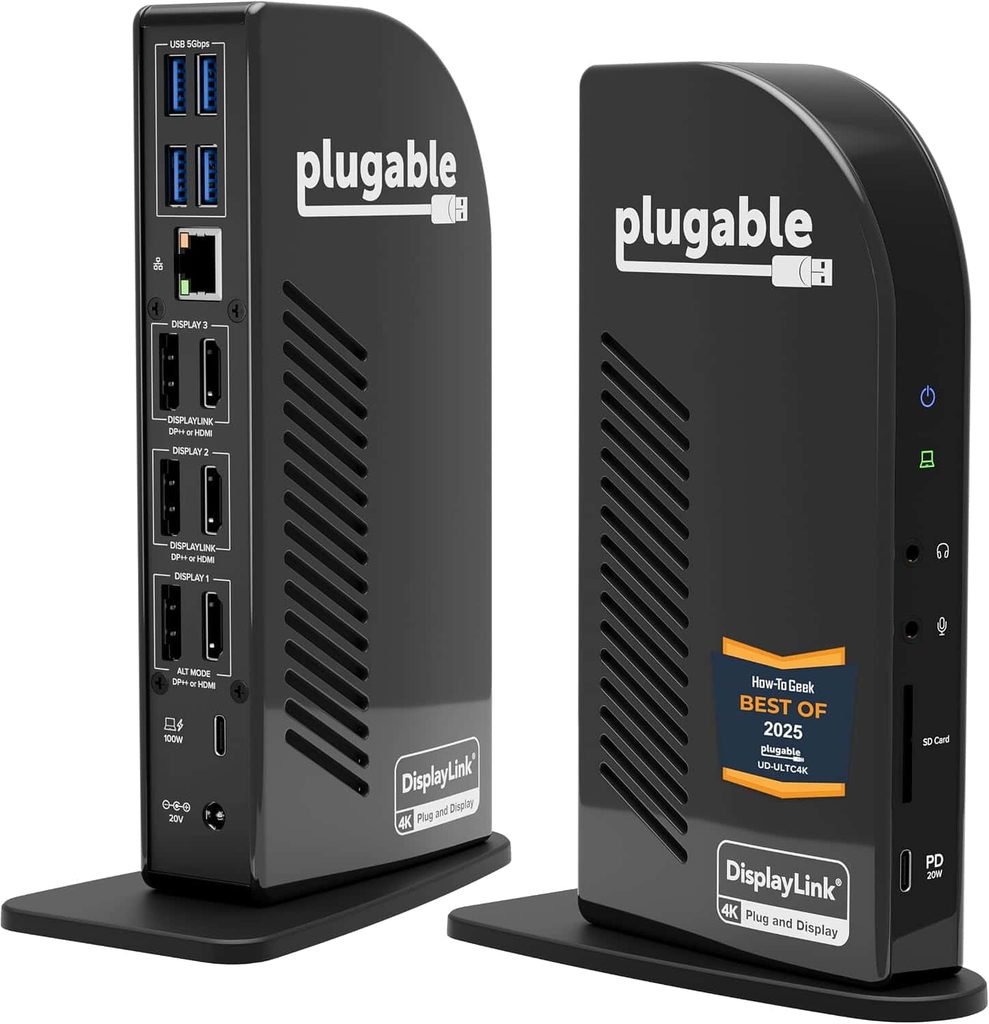
The Plugable 13-in-1 USB C Docking Station is built for people who want to turn a laptop into a more complete desktop workspace. Its combination of multiple connections, triple-monitor capability, and up to 100W charging makes it an appealing option for busy home offices and professional desks. Instead of connecting every accessory directly to the computer, users can route compatible monitors and peripherals through one central dock and leave the laptop with a simpler cable setup.
Triple-display support is a major reason to consider this model. It can help users keep communication tools, documents, and work applications visible at the same time. The 100W power delivery feature can also reduce the need for a separate laptop charger when the computer supports USB-C charging at the required level. Actual display configurations and charging performance depend on the host laptop and operating system.
The key thing to check is compatibility. Not every USB-C port supports video output, and multi-monitor behavior can differ between Windows and macOS systems. Review Plugable’s device-specific guidance before ordering, especially if you need three external screens. For compatible laptops, this 13-in-1 dock offers a convenient all-in-one approach to organizing a workstation and keeping commonly used connections within easy reach.
Pros:
- Extensive 13-in-1 connectivity.
- Triple-monitor support on compatible systems.
- Up to 100W laptop charging.
- Helps create an organized workstation.
Cons:
- Requires compatibility checks before purchase.
- Some display configurations have operating-system limitations.
- Larger setup than a portable USB-C hub.
4. Dell Pro SD25TB4 Thunderbolt 4 Smart Dock Review – 130W Business Docking Station
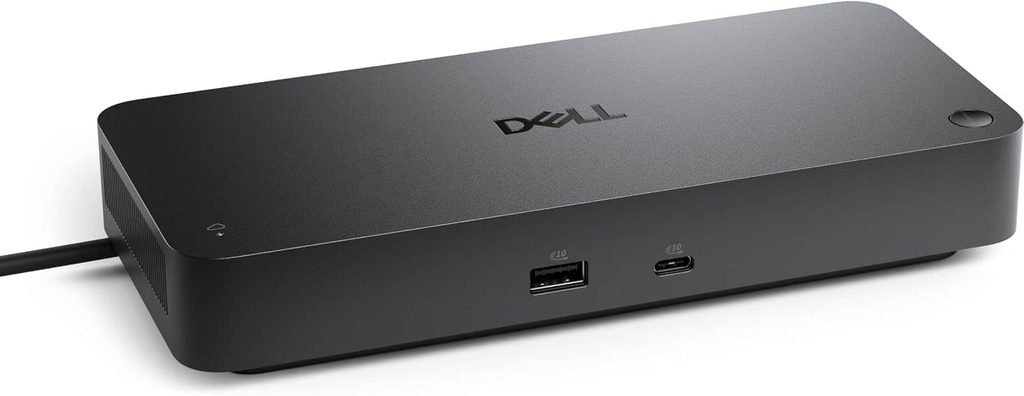
The Dell Pro Thunderbolt 4 Smart Dock SD25TB4 is designed for professional environments where reliable connectivity, device management, and flexible display support matter. Using Thunderbolt 4, it connects compatible laptops to a range of workplace peripherals through a single host connection. Its business-focused feature set makes it particularly relevant for office teams, IT departments, and users who need a consistent docking experience across a desk-based setup.
Dell specifies up to 130W power delivery for supported Dell systems and up to 96W for non-Dell systems. The dock also supports advanced display configurations, including up to four displays under suitable hardware and connection conditions. Its 2.5Gb Ethernet connection can provide a faster wired network link than standard gigabit Ethernet when the wider network supports it. Management features such as remote firmware updates, Wake-on-LAN, and security-related controls are useful in managed business environments.
This is a more specialized choice than a basic USB-C hub, and its value is strongest when paired with compatible professional laptops. Buyers should check the laptop’s Thunderbolt support, monitor requirements, and charging needs. For organizations seeking a capable dock with business management features, the SD25TB4 offers an extensive connection platform and room for a demanding multi-screen workstation.
Dell+1
Pros:
- Thunderbolt 4 connectivity.
- Up to 130W charging for supported Dell laptops.
- Supports up to four displays in suitable configurations.
- 2.5Gb Ethernet connectivity.
- Business-focused remote management features.
Cons:
- Premium business-oriented product.
- Full performance requires compatible hardware.
- Non-Dell charging output is lower.
3. Anker 8-in-1 USB-C Laptop Docking Station Review – Dual Monitor 4K HDMI Hub
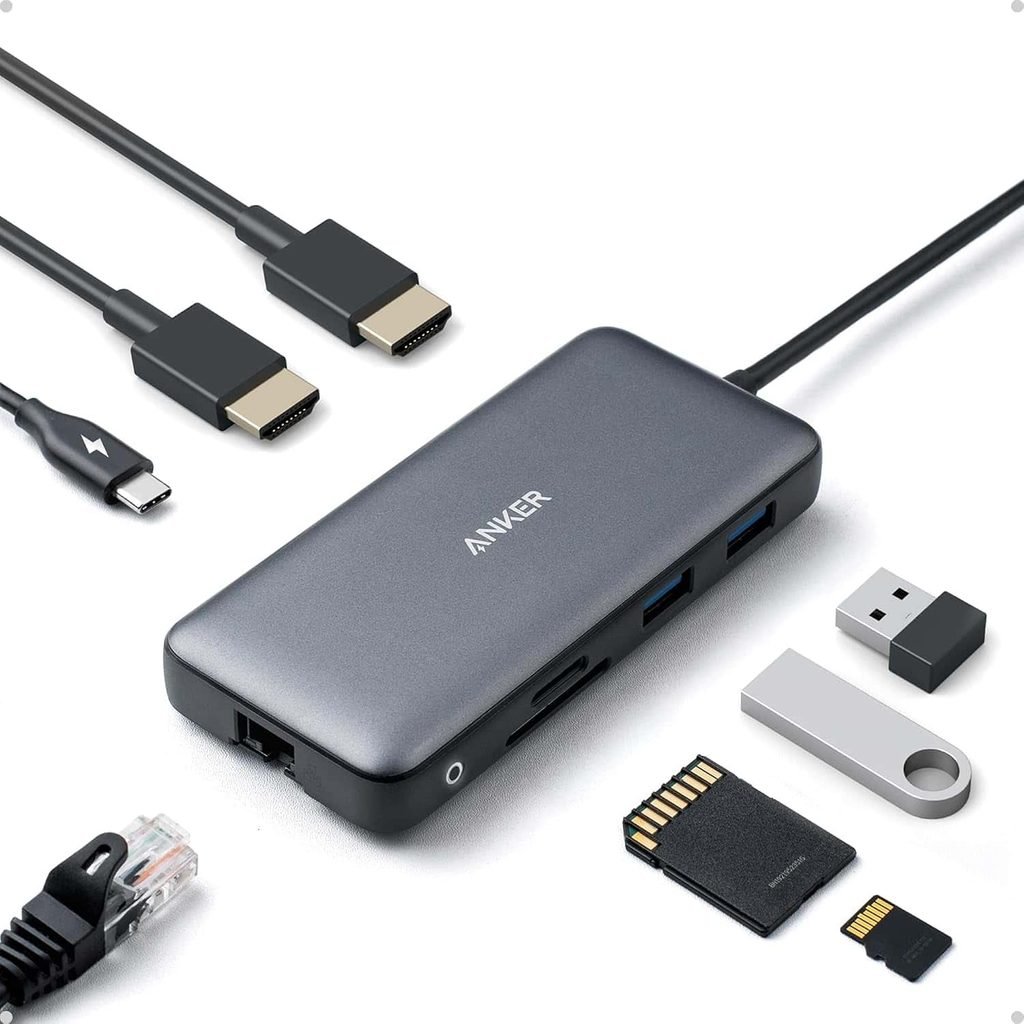
The Anker 8-in-1 Laptop Docking Station is a compact way to add useful connections to a laptop without choosing a large desktop dock. Its USB-C hub design is suited to everyday tasks such as connecting an external monitor, plugging in accessories, transferring files, and adding a wired network connection where supported. For students, remote workers, and people who move between rooms or work locations, a smaller hub can be easier to carry and simpler to set up than a full-size docking station.
Dual-monitor capability is one of the reasons this model attracts attention, but buyers should check the exact display arrangement supported by their laptop and operating system. The 4K HDMI connection can be useful for a high-resolution external screen when the host device supports the required video output. The hub’s multiple ports also help reduce the need for separate adapters when connecting compatible peripherals.
This Anker model is best viewed as an everyday connectivity accessory rather than a replacement for every advanced Thunderbolt workstation dock. Check USB-C video support, charging pass-through requirements, and operating-system limitations before buying. If your goal is to connect a monitor and several common devices while keeping your desk or travel bag tidy, this 8-in-1 hub offers a straightforward solution from a familiar accessories brand.
Pros:
- Compact and convenient design.
- 8-in-1 connectivity.
- 4K HDMI display support.
- Useful for home, office, and travel.
- Recognized accessories brand.
Cons:
- Fewer connections than larger desktop docks.
- Display support depends on laptop compatibility.
- Not a full Thunderbolt workstation replacement.
2. Kensington SD5900T Thunderbolt 4 DisplayLink Dock Review – Advanced Laptop Dock
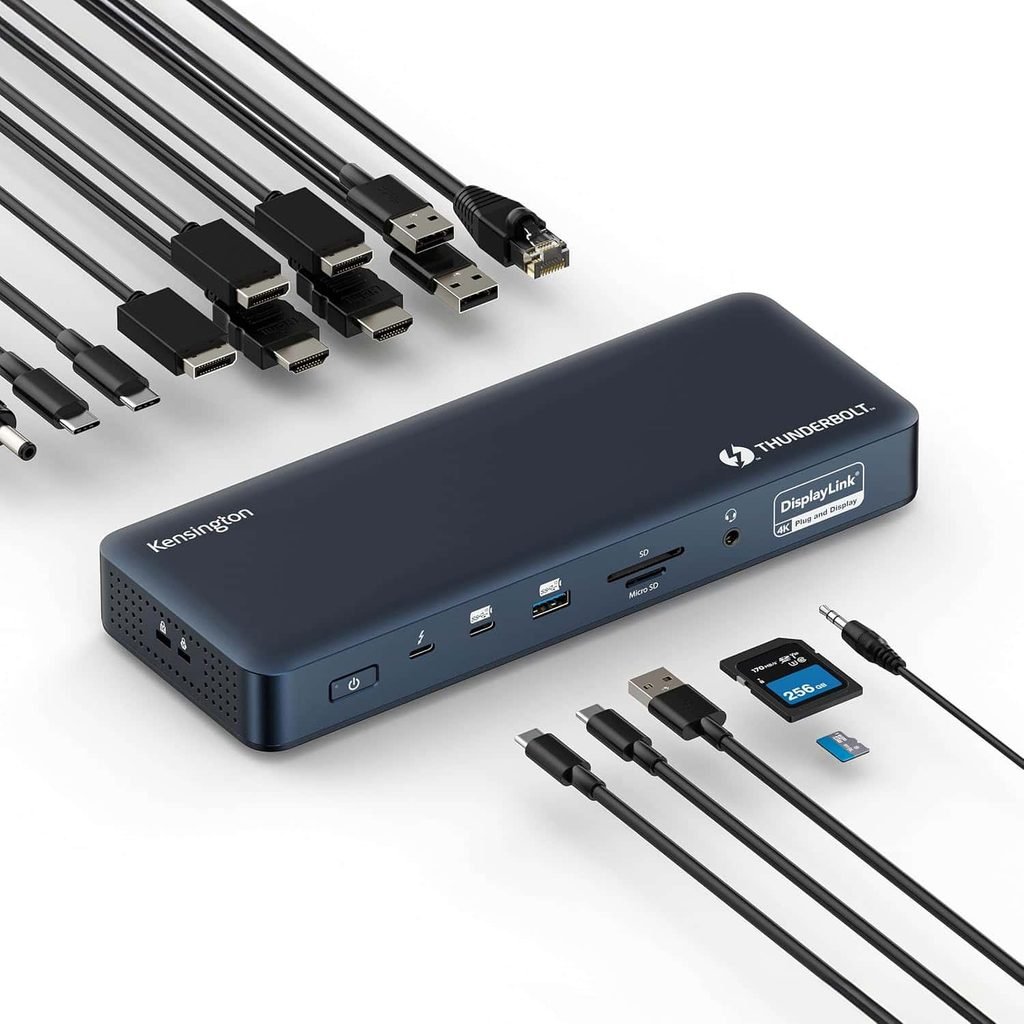
The Kensington SD5900T Thunderbolt 4 DisplayLink Docking Station is aimed at users who need an advanced connection hub for a demanding multi-monitor workspace. Combining Thunderbolt 4 connectivity with DisplayLink technology gives this dock a flexible approach to connecting displays and peripherals. It is worth a look for professionals who work with several applications at once, manage large amounts of information, or want a more organized desk with fewer cables running directly to the laptop.
Thunderbolt 4 provides a high-bandwidth connection for compatible computers, while DisplayLink can help expand display options on supported systems. That flexibility is useful, but it also means software and operating-system compatibility should be checked before purchase. DisplayLink drivers may be required, and supported monitor counts or resolutions can vary by laptop, graphics hardware, and platform. Buyers should also confirm which ports and display combinations are available for their particular setup.
For a professional office or home workstation, the SD5900T offers a feature-rich alternative to a basic USB-C hub. Its strongest appeal is the combination of modern connectivity and multi-display flexibility. It may be more than casual users need, so consider your actual monitor and peripheral requirements first. If your computer is compatible and you regularly use multiple screens, this Kensington dock can help create a more capable and centralized workstation.
Pros:
- Thunderbolt 4 connectivity.
- DisplayLink technology.
- Designed for multi-monitor workstations.
- Suitable for professional productivity setups.
- Centralizes multiple connections.
Cons:
- May require DisplayLink software.
- Compatibility depends on the laptop and operating system.
- Could be excessive for basic laptop users.
1. Dell WD22TB4 Thunderbolt 4 Docking Station Review – USB-C and USB-A Laptop Dock
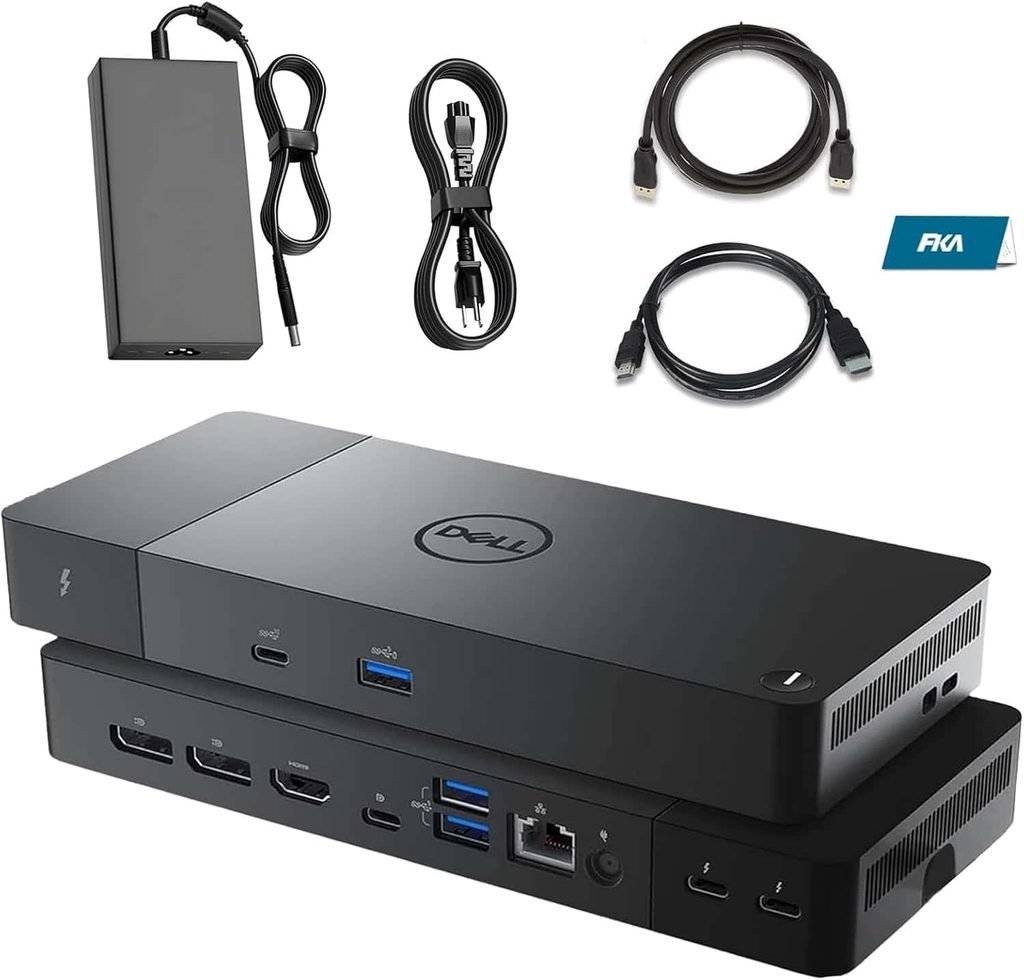
The Dell WD22TB4 Thunderbolt 4 Docking Station is a practical workstation accessory for compatible laptops, especially Dell systems designed to work with Thunderbolt 4. It connects a laptop to external displays, USB accessories, wired networking, and other peripherals through one host cable. That setup can make it easier to move between mobile work and a permanent desk without reconnecting every device individually.
Dell’s published specifications include two DisplayPort 1.4 connections, an HDMI 2.0 port, USB ports, Gigabit Ethernet, and additional Thunderbolt 4 connectivity. With a compatible Dell laptop and the supplied 180W power adapter, the dock can provide up to 130W of power delivery; supported non-Dell systems may receive up to 90W. This makes it useful for users who want display expansion and laptop charging from one docking point.
Compatibility is important. The full Thunderbolt experience requires a suitable Thunderbolt-enabled computer, while systems with standard USB-C DisplayPort Alt Mode may operate with reduced functionality. Display support and charging also depend on the laptop model. Before ordering, confirm the host port, monitor configuration, and power requirements. For users with a compatible Dell workstation or business laptop, the WD22TB4 offers a convenient way to connect a complete desk setup with less daily cable handling.
Dell Bahamas+1
Pros:
- Thunderbolt 4 connectivity.
- Multiple display connection options.
- Up to 130W charging for supported Dell laptops.
- USB-A, USB-C, HDMI, and DisplayPort connections.
- Convenient single-cable workstation setup.
Cons:
- Full functionality requires compatible hardware.
- Non-Dell charging output may be lower.
- Older USB-C systems may have reduced functionality.
How to Choose the Best Docking Station
Before choosing a docking station, consider these important factors:
- Laptop compatibility: Check whether your laptop supports USB-C video output, USB4, Thunderbolt 4, or Thunderbolt 5.
- Monitor support: Decide whether you need one, two, or three external monitors.
- Power delivery: Choose sufficient charging power for your laptop.
- Connectivity: Look for the HDMI, DisplayPort, USB-A, USB-C, Ethernet, and audio connections you actually need.
- Operating system: Check Windows, macOS, and other operating-system compatibility.
- DisplayLink requirements: Some docks need additional software to support multiple monitors.
The Dell WD22TB4 is a strong choice for compatible Dell workstation users, while the Anker Prime TB5 is worth considering for those building a newer Thunderbolt 5 setup. For everyday connectivity, the Anker 8-in-1 and VVB USB-C options are worth comparing.
Also read: